How to Set Up Discord Deal Alerts So You Only Get Deals Worth Chasing
A step-by-step discord deal alerts setup that trades the firehose for a quiet feed you actually act on: notification levels, role pings, keyword highlights, mute schedules, and a local region filter.
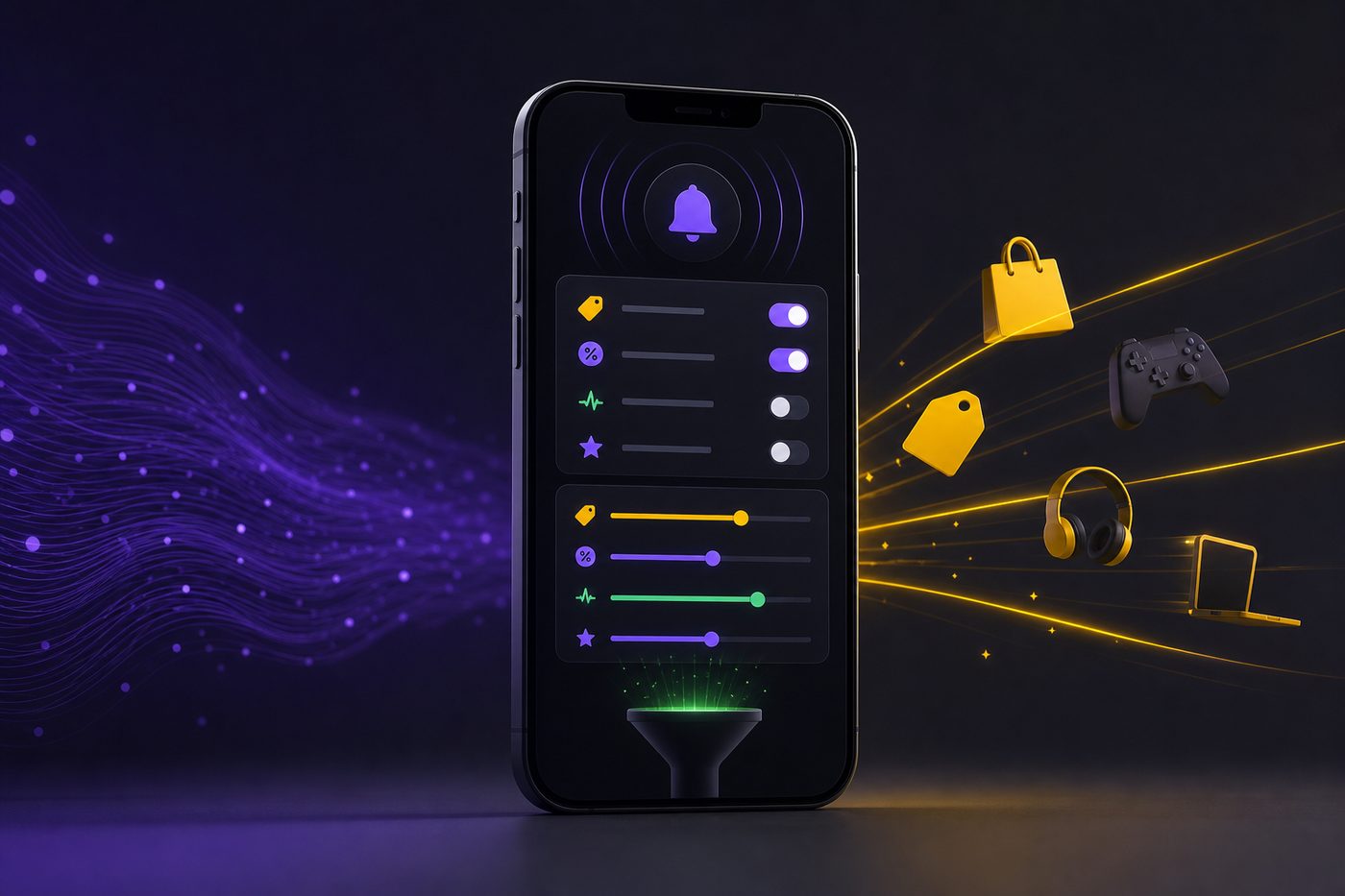
How to Set Up Discord Deal Alerts So You Only Get Deals Worth Chasing
By DealHawk Editorial - Published 2026-06-25
Your phone buzzed forty times before lunch. You looked at maybe three of them. By the fourth day you stopped looking at any, and the one ping that mattered, the one that would have paid for your month, scrolled past between a meme and a bot announcement while you were driving. That is the real cost of a bad discord deal alerts setup. Not the deals you miss because they never came. The deals you miss because they were buried under two hundred that never mattered.
This guide fixes that. Not with another server, not with a bigger list, but with the boring settings menu almost nobody opens. By the end you will have a feed that goes quiet on purpose and buzzes only when something is worth standing up for. Then we tie it to a region filter so the deal it surfaces is one you can actually reach before the shelf is empty.
The one lie that keeps your phone screaming
The lie sounds like common sense: more notifications means more deals caught. Turn everything on. Join ten servers. Subscribe to every ping. Surely more signal in means more money out.
It is backwards. A firehose does not deliver more water you can drink. It knocks the glass out of your hand. When every message pings, no message means anything, because your brain cannot triage two hundred identical buzzes a day. So it does the only rational thing left. It tunes out the whole channel. The alert that would have caught you a clearance skid of tools at a quarter of retail arrives with the exact same buzz as a bot saying welcome to the server, and you swipe both away without reading either.
The villain here is not the deals and it is not you. It is the default settings. Discord ships every new server on "All Messages," and most people never touch it, so a room built for a hundred chatty people fires a hundred chatty pings straight at your lock screen. The firehose is not a feature. It is a factory setting nobody turned off. A quiet feed you act on beats a firehose you tune out, every single time, and the fix costs you fifteen minutes in a menu.
The one fix: notification hygiene, the discord deal alerts setup that works
Call it notification hygiene. The same way you would not leave every app on your phone set to full-volume push, you do not leave every Discord channel set to scream. Hygiene means a default of silence, then a short list of deliberate exceptions you actually chose. Everything off, a handful of things on, and the on-list earns its place.
Five moves make up the whole system:
- Server default to Mentions Only. The blanket setting that kills the firehose at the source.
- Role and region pings as your unmute list. The specific @role tags you opt into so the server only reaches for you when a deal matches what you sell.
- Keyword highlights. A watchlist of the words that mean money to you, so the right SKU jumps out of a wall of text.
- Channel muting. Silence the chit-chat, the off-topic, the bot spam, without leaving the room.
- Mobile push tuning and Do Not Disturb. A schedule so the feed respects your sleep, your job, and your sourcing hours.
Do all five and the math flips. Instead of two hundred buzzes and three glances, you get the handful you actually chase. Let us build it, click by click.
Step 1: set the server default to Mentions Only
This is the single highest-leverage change, and it takes ten seconds. It stops the firehose before it starts.
On desktop, click the server name at the top-left of the channel list to open the dropdown, then choose Notification Settings. On mobile, tap the server name, then the three-dot menu, then Notifications. You will see four options: All Messages, Only @Mentions, Nothing, and Use Server Default.
Set it to Only @Mentions. Not Nothing, because Nothing silences the pings you actually want too. Only @Mentions means the server stays dead quiet until someone tags a role you belong to or mentions you directly. The general chatter, the greetings, the back-and-forth, none of it reaches your phone. The channel still shows a faint gray dot so you know there is life in there, but it does not compel you to check. You check on your schedule, not the room's.
Right there, before you have touched anything else, you have turned a hundred-ping server into a handful-of-pings server. Every later step just sharpens which handful.
Step 2: subscribe to the right role pings
Mentions Only is useless if nothing ever mentions you. So the next job is joining the roles that get tagged when a deal drops. In well-run deal servers, posters tag roles, not everyone, so a person who only flips electronics is not pinged for a diaper clearance. Those role tags are the whole point of the system.
Most servers hand out roles one of two ways. Either a channel with reaction roles, where you click an emoji under a message to grab the matching role, or a bot command you type. Look for a channel named something like #roles, #get-roles, #choose-your-alerts, or #self-roles. Click the emoji next to each category you want. Common ones in a retail-arbitrage room: in-store clearance, online price errors, a specific department, or a region.
Here is the discipline. Do not grab every role because more feels safer. That rebuilds the firehose from the inside. Grab only the categories you would drive for or click buy for. If you never flip clothing, skip the apparel role. If you only source within thirty minutes of home, you want the regional role and nothing national. Each role you add is a promise to yourself that a ping from it is worth your attention. Keep that promise honest and the pings stay honest.
One extra toggle worth knowing. In the same Notification Settings panel there is Suppress @everyone and @here and Suppress All Role @Mentions. Leave role mentions ON (do not suppress them) since those are your lifeline, but consider suppressing @everyone if a server abuses it for hype announcements. That one switch mutes the lazy blast-to-all pings while keeping the targeted ones that actually match your roles.
Step 3: build keyword highlights that mean money
Role pings get you in the right room. Keyword highlights find the right SKU inside a wall of scrolling text. This is where you tell the feed which exact words are worth a buzz.
Be clear about how Discord does and does not do this, because the internet muddies it. Discord's built-in Highlights feature exists, but it is algorithm-driven. It surfaces popular or relevant messages based on reactions, replies, and where you are active. It is not a box where you type your own watchwords. Useful as a backstop, not as a precision tool. You will find its toggle in each server's notification settings as Suppress Highlights (leave it unsuppressed if you want the algorithm helping).
For true user-defined keyword alerts, the words you personally care about, you need a highlight bot. Many deal servers already run one, and there are well-known standalone options built for exactly this. The pattern is the same across them: you send the bot a command like add followed by your word, and from then on it direct-messages you whenever that word appears in a channel you can see. Check your server's #bots or #commands channel, or ask a mod which highlighter they run, before you assume you have to bring your own.
Now the part that matters more than the tool: what to watch for. Bad keywords are broad. "deal," "clearance," "cheap." Those fire on everything and rebuild the firehose one word at a time. Good keywords are specific to your lane:
- Brand names you resell that hold value: the toy line, the tool brand, the appliance maker you know moves fast.
- Price-ending signals retail arbitrage people watch, like a price ending in a penny at Walmart, which often flags a true clearance rather than a temporary rollback.
- Category words narrow enough to be rare: "LEGO," "drill," "vacuum," not "toy" or "tool."
- Your store or region name if the server posts location tags.
Aim for a short list, maybe eight to fifteen words, each one rare enough that a hit is genuinely interesting. If a keyword pings more than a few times a day, it is too broad. Cut it or make it more specific. The goal is not coverage. The goal is that when your phone buzzes for a keyword, you look, because it has earned every past look.
Step 4: mute the channels that are pure noise
Even inside a good server, some channels exist to be chatty. General hangout, off-topic, memes, a bot-spam channel where commands echo, a welcome channel. None of those pay you. All of them can carry a stray @everyone or a role tag that leaks through your Mentions Only setting. Mute them individually and they go fully dark.
Right-click the channel name (long-press on mobile) and choose Mute Channel, then pick a duration or "Until I turn it back on." A muted channel stops showing unread dots and stops pinging entirely, even for mentions, unless you want it back. Do this to every channel that is not a deal channel. Off-topic, gone. Memes, gone. The introductions channel, gone.
Discord also lets you run notification overrides the other direction, which is the sharp end of the whole method. On a server you have set to Mentions Only, you can pick your single most important deal channel, right-click it, open Notification Settings, and set that one channel to All Messages. Now the entire server is quiet except the one room where the drops you cannot afford to miss get posted. Silence everywhere, full volume in exactly one place. That override is the difference between a system that is merely quieter and one that is precise.
Step 5: tune mobile push and set a Do Not Disturb schedule
A quiet feed still needs hours. A clearance drop at 2 a.m. is not a deal if you cannot act until 9. Worse, a buzz at 2 a.m. just trains you to silence the phone entirely, which kills the whole system by morning.
Two layers control this. Inside Discord, open User Settings, then Notifications, and confirm Enable Push Notifications is set the way you want per device. Discord mirrors to mobile anything you would be notified about on desktop, so your server-level and channel-level work above already does most of the filtering. But Discord also has a Push Notification Inactive Timeout, which decides how long you must be idle before mobile push kicks in. Set it short if you want alerts on your phone even while your desktop is open, longer if you only want mobile pings when you are truly away from the computer.
The second layer is your phone's own Do Not Disturb and Discord's status. Set your Discord status to Do Not Disturb during work hours or sleep and it suppresses push notifications while leaving the app usable when you open it yourself. Better, use your phone's scheduled Focus or Do Not Disturb (both iOS and Android have it) to blanket-silence overnight, then add Discord as an allowed app during your sourcing window. The result: dead silent from 11 p.m. to 6 a.m., live during the hours you can actually drive to a store.
Match the schedule to your real life. If you source before your day job, open the window from 6 to 8 a.m. and again in the evening. If you flip full-time, keep it wide but still cut the overnight. The point is not to be reachable always. The point is to be reachable exactly when a ping can become money, and unreachable when it can only become lost sleep.
The one number that settles it
Here is the figure that matters. A typical always-on setup across a couple of busy deal servers can throw a couple hundred pings at you in a single day. Run the five steps above and that same day delivers the handful you actually chase, call it five to ten alerts that match your lane, your keywords, and your hours.
Two hundred down to under ten. That is not a small tweak. That is the difference between a feed you glance at three times and give up on, and a feed where every buzz gets a real look because every buzz has earned one. The deals per day you can realistically act on were always going to be a handful. The old setup just hid that handful inside the noise and made you feel like you were missing everything. You were not missing everything. You were drowning in nothing.
The honest buyer math on your time works out fast. If clearing the noise saves you even twenty minutes a day of thumbing past junk pings, that is over two hours a week you get back, hours you can spend actually scanning a shelf or listing an item instead of triaging your lock screen. And the one deal you no longer miss because it did not scroll past unread pays for far more than that.
Where DealHawk fits: set your region so alerts stay local
All of the above is Discord hygiene you can apply to any server. The last piece is about which server is worth pointing that hygiene at, and how to keep its alerts reachable.
DealHawk is a small paid Discord community focused on Walmart in-store clearance drops and online price-error and clearance gems, sold through Whop. The in-store side is where the region step earns its keep. A clearance skid in a store three states away is trivia. The same drop in a store you pass on your commute is money. So the moment you join, your job is to make the feed local.
Practical setup, same tools you just learned. If the server offers regional or store-tagged roles in its self-roles channel, grab only the ones near you and skip the national firehose. Add your metro or nearby store names to your keyword highlights so a post tagging your area jumps out. Set the channel where local in-store drops post to All Messages as your one override, and leave the rest on Mentions Only. Now the alerts that reach you are the ones you can drive to before the shelf is picked clean. Local, usable, and quiet enough that you still look.
On the honesty side, so you can decide clearly. DealHawk carries a 5.0-star rating across 25 verified Whop reviews, a perfect five-star spread, with members writing things like "I love this group! I've saved so much money, time, and gas on clearance finds. The small fee was worth every penny!" and "Amazing instore clearance drops and online gems." That review count is exactly that, the number of reviews left, not a headcount of the community, and the operator runs it anonymously, which is a fact worth knowing up front rather than one to gloss over. Pricing is billed up front, not a trial: intro starts at $10 or $15 depending on which plan Whop shows you at checkout, then it renews at $25 per month, and you can cancel in one click from your Whop dashboard with no call and no email. The live Whop listing is the source of truth for the current offer, so confirm it there before you buy.
Close this tab if you are not near a Walmart you would actually drive to, or if in-store sourcing is not your thing. The region filter cannot make a distant deal reachable, and no notification setting turns a hobby-curious tap into a business. But if you do have stores in range and you are ready to treat this like sourcing rather than scrolling, a clean feed pointed at a local, deal-dense room is exactly the setup that pays.
Your discord deal alerts setup checklist
Run this top to bottom on any deal server and you are done in fifteen minutes:
- Set the server notification default to Only @Mentions.
- Join only the role pings that match your lane and your region. Skip the rest.
- Suppress @everyone/@here if the server abuses it, but keep role mentions live.
- Build a keyword highlight list of 8 to 15 specific words: brands, penny-price signals, narrow categories, your store or region.
- Mute every non-deal channel: off-topic, memes, bots, welcome.
- Set your one most important deal channel to All Messages as an override.
- Tune mobile push and set a Do Not Disturb schedule around your real sourcing hours.
- Point it at a local, deal-dense room and set your region so alerts stay reachable.
That is the whole method. A default of silence, a short list of earned exceptions, and a feed aimed at deals you can actually reach. The firehose was never delivering more deals. It was hiding the few real ones in a flood of noise you learned to ignore. Turn the flood off. Keep the handful. Chase those.
FAQ
Does turning off most notifications mean I will miss deals?
No, and this is the core misread. Setting a server to Mentions Only does not silence deal alerts, it silences chatter. The posts that tag a role you joined or hit a keyword you watch still come through loud. You are not cutting deals, you are cutting the noise that was burying them, which is why you end up catching more of the ones that matter, not fewer.
Can Discord send me alerts for specific keywords like a brand name?
Discord's built-in Highlights feature is algorithm-driven, not a custom-word tool, so for true keyword alerts you rely on a highlight bot. Many deal servers already run one, and there are well-known standalone options. The pattern is a command like add followed by your word, after which the bot direct-messages you when that word appears. Check your server's bots channel or ask a mod which one they use.
What is the fastest single change I can make right now?
Set your busiest server to Only @Mentions. One dropdown, ten seconds, and it turns a hundred-ping room into a handful-of-pings room instantly. Everything else in this guide just sharpens which handful reaches you.
How do I keep DealHawk alerts local instead of national?
Grab only the regional or store-tagged roles near you in the server's self-roles channel, add your metro or nearby store names to your keyword highlights, and set the local in-store drop channel to All Messages while leaving the rest on Mentions Only. That keeps the alerts you receive to drops you can actually drive to before the shelf clears.
What does DealHawk cost and is there a trial?
It is billed up front, not a trial. The intro price starts at $10 or $15 depending on which plan Whop shows at checkout, then it renews at $25 per month, and you can cancel in one click from your Whop dashboard with no call or email. Always confirm the current terms on the live Whop listing before buying.
Ready to see the live alerts?
Check the current intro offer on Whop. Cancel any time.
View current offerKeep reading
Who DealHawk Is For (and Who Should Skip It): A 2026 Decision Guide
Who is DealHawk for? We skip the star rating and run your ZIP, drive radius, free time, and goal thr...
DealHawk Review (2026): Is This Walmart Clearance Discord Worth $25 a Month?
An honest DealHawk review: what the paid Walmart clearance Discord actually is, the real pricing (in...
Anonymous Operators in Reselling: How to Vet a Faceless Discord Before Paying
Building anonymous whop discord trust without a founder bio: the signal checklist for vetting a face...
Is DealHawk Worth It If You Live Far From Walmart? A Distance-Based Decision
Wondering if DealHawk is worth it far from Walmart? We split alerts into two lanes, run the drive-ti...
